How to Create Consistent Characters With AI for Storyboards
Why AI faces drift from frame to frame, and how reference portraits, fixed descriptions and per-shot edits keep one character the same across a storyboard.
How-to · · 4 min read
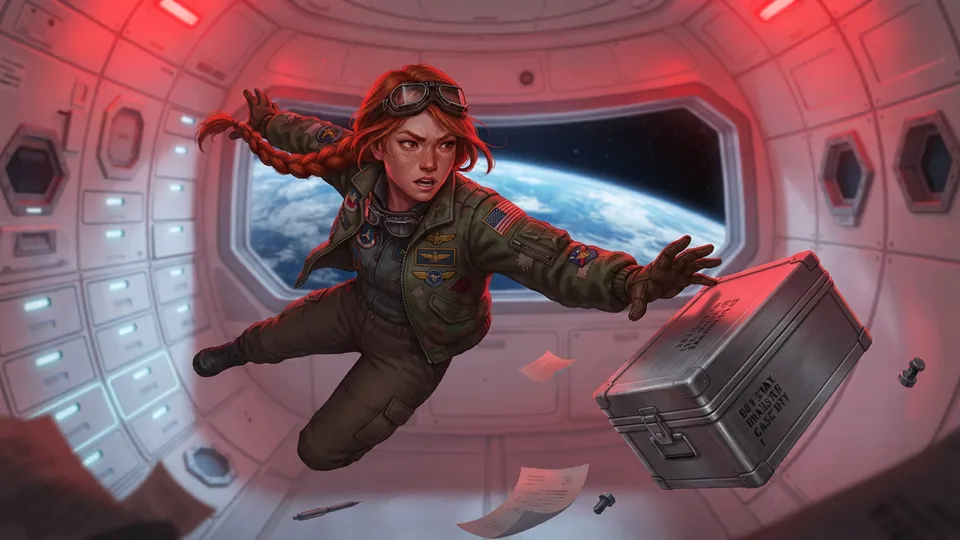
The first thing anyone notices when they storyboard with an AI image model is that the hero changes. Frame one has a woman with a red braid; frame four has a different woman with a red braid. For a single image that doesn't matter. For a storyboard — where the whole point is that the audience follows one person through a sequence — it breaks the board.
This guide explains why it happens and the habits that fix it, using a twelve-shot sci-fi storyboard as the example.
Why AI image models change your character between frames
An image model doesn't remember anything between images. Each frame is drawn from scratch from its prompt, and a prompt like "a pilot in her thirties with a red braid" describes thousands of possible people. The model picks one each time.
Words alone can't pin down a face. They can fix the category — hair colour, age, clothing — but not the specific proportions, nose, jaw and expression that make someone recognisable. To get the same person, the model needs to see them.
Anchor every frame to a reference portrait
The most reliable technique is to give the model an image of the character alongside every shot they appear in. In Storyboard Room each character has a reference portrait, and it's sent to the image model with every shot that character is cast in, ahead of the shot's description.
Here's the cast of "Low Orbit" — a crew lead, a hacker, a pilot and a maintenance robot — as their reference portraits:
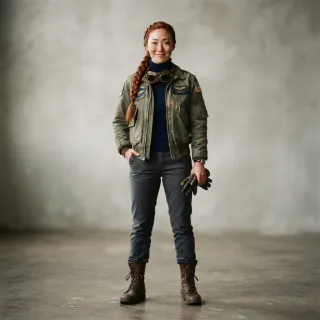
And here is Juno in three very different shots — a rooftop at night, zero gravity in a red alarm, and a desert at dawn:
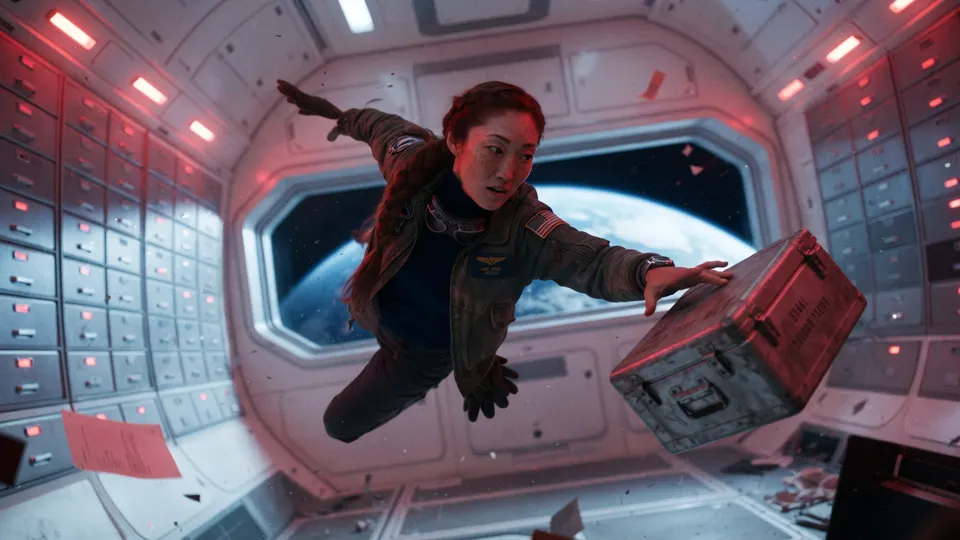
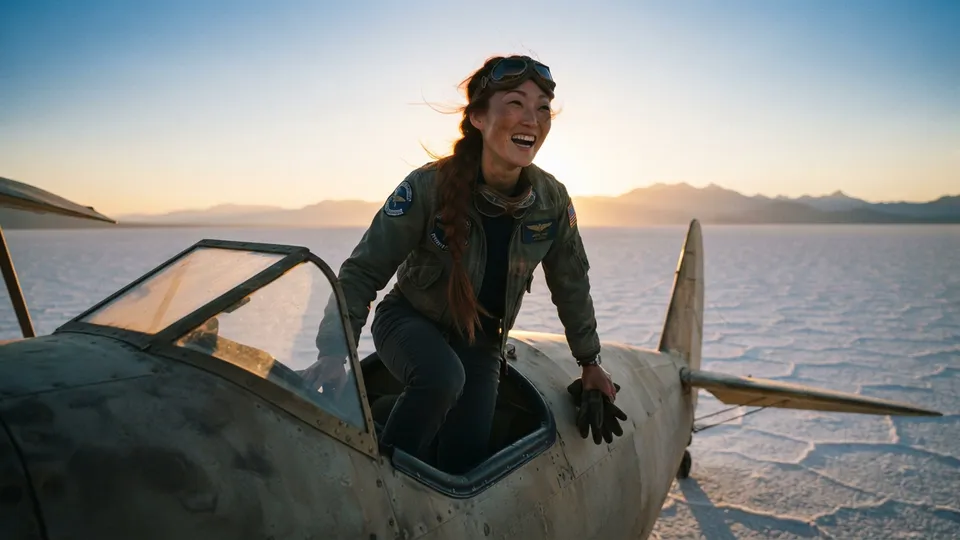
Lighting, angle and mood change completely. The person doesn't.
Keep the character description identical
The reference image does most of the work, but the text still matters. If shot three says "red jacket" and shot seven says "crimson coat", you've asked for two different costumes and the model will oblige.
- Write each character's description once, and reuse it verbatim in every shot.
- Put the defining features first: "long red braid, freckles, patched olive flight jacket".
- Leave out anything that should change between shots — expression, pose, what they're holding. That belongs in the shot's action.
Storyboard Room does this for you: a character's name and description are stored once on the character and inserted into every shot that includes them.
Choose a reference that shows the defining features
A good reference portrait is boring on purpose:
- Full figure, neutral pose, so costume and build are visible.
- Plain background, so the model doesn't copy a location into every shot.
- Even lighting, so a shadow isn't mistaken for a scar.
- The face clearly visible. Sunglasses in the reference mean sunglasses everywhere.
Generate the portrait in the same style as the storyboard. A photographic reference pulled into a sketch board tends to drag the frames towards realism, and vice versa.
Fix drift with targeted edits, not rerolls
Even with references, a frame will occasionally drift — the braid on the wrong shoulder, a jacket that's gone blue. Regenerating the whole frame throws away everything that was right about it. It's usually faster to describe the fix: "make her jacket olive green", "put the braid over her left shoulder". Storyboard Room edits the existing frame from that instruction and keeps the previous version, so you can always go back.
Can AI keep the same character across different camera angles?
Yes, within limits. Close-ups and medium shots hold identity best, because the face is large in frame. In extreme wides the character is a few dozen pixels tall, and the model has little to work with — but the audience has little to check, too. What matters is that costume, silhouette and colour stay consistent, and a reference portrait handles that well.
Does character consistency work for non-human characters?
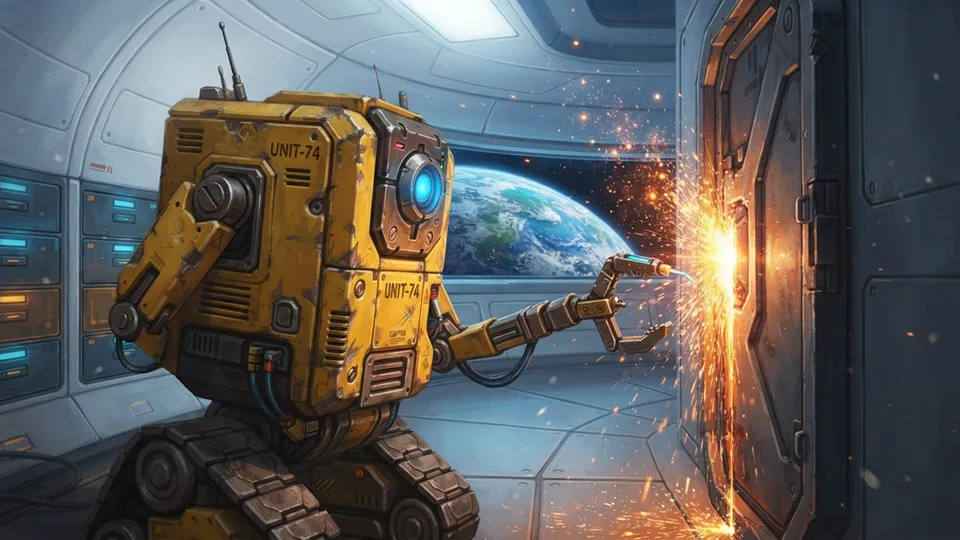
Often better than for humans. Robots, creatures and props have hard-edged, distinctive designs that a reference image captures completely. RIG, the crew's robot, keeps its chipped yellow paint and single blue optic in every frame — including through the change of style:
The same applies to products in advertising. A reference image of the packaging is the difference between "a blue can" and your blue can — see the worked example in how to storyboard a commercial.
Checklist
- One reference portrait per character, full figure, plain background, in the board's style.
- One fixed description per character, defining features first.
- Pass the reference with every shot the character appears in.
- Fix drift with a described edit; keep the history.